The spreadsheets behind the 1099 math.
Going 1099 means running a small business — even if it’s a business of one. These are the actual spreadsheets built to run it: price your rate, plan your cash, and keep books clean enough to hand to a CPA.
Start here: the W-2 vs. 1099 rate calculator
Before you buy anything, know your number. Enter your W-2 pay and benefits, and the calculator shows the 1099 hourly rate you’d need to break even — plus what to ask for on top of that. Free, no email required.
Open the free calculator →Quarterly Tax Calculator
Estimate your federal quarterly payments — income tax and self-employment tax, minus what you’ve already paid. Quick estimate or detailed mode, with 2026 IRS figures and due dates built in. Free, no email required.
Open the quarterly tax calculator →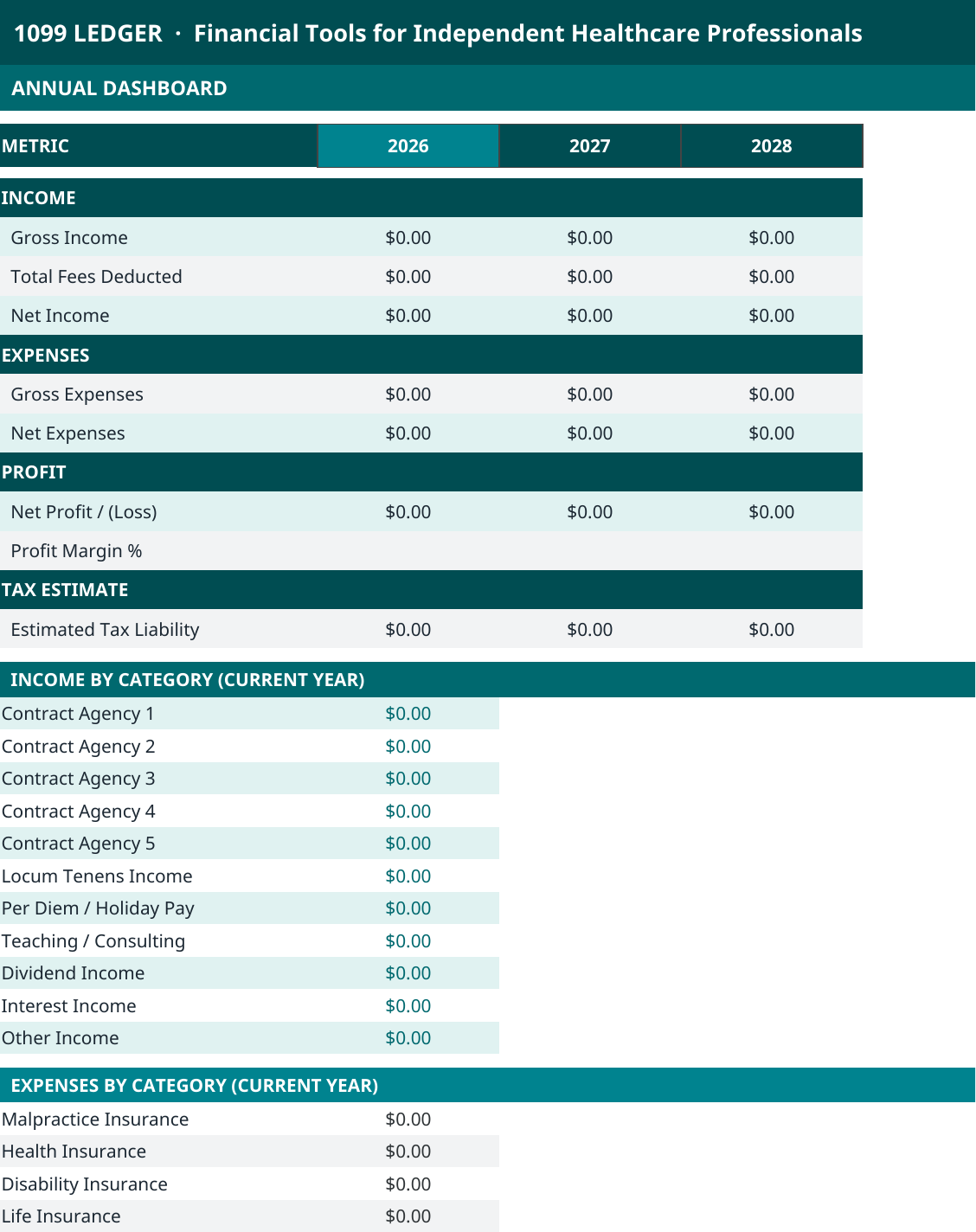
Complete bookkeeping
The 1099 Ledger
$68.99 one-time
Know exactly what you earned, what you spent, and what you owe — with books a CPA would respect.
- Track income across agencies, locums, per diem, and other streams
- Log expenses by category — malpractice, health insurance, disability, and more
- Tax tracker with an estimated liability figure, so quarterly payments stop being guesses
- Mileage log, certifications & licenses tracker, and recurring expenses
- Monthly and annual dashboards plus a balance sheet that update as you enter data
- Equity tracking for S-corp owners building business value
Excel/Google-Sheets-compatible spreadsheet. Includes Quick Start and Setup guides.
Week-by-week cash planning
The 1099 CRNA Cashflow Planner
$34.99 one-time
Plan the money week by week, so quarterly taxes and slow weeks never surprise you.
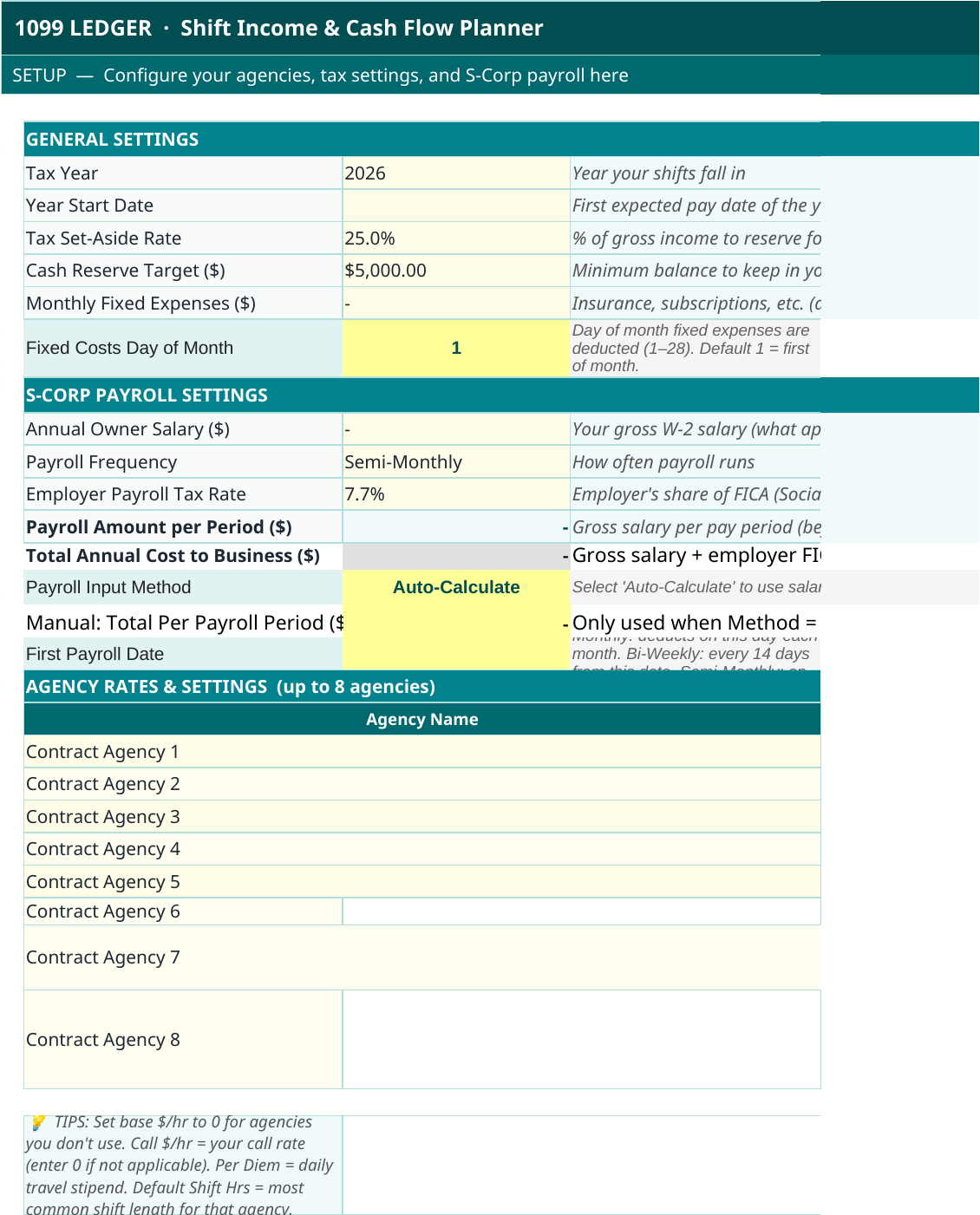
- Configure up to 8 agencies with base, call, and per diem rates
- Set your tax set-aside rate and cash reserve target once — the planner applies them all year
- 52-week planner: log shifts by agency and watch each week’s cash position update
- S-corp payroll settings with auto-calculated per-period amounts
- Shift log for year-to-date reporting and a monthly summary of income vs. reserve
- “Below reserve” flags warn you before a thin week becomes a problem
Excel/Google-Sheets-compatible spreadsheet. Includes Quick Start and Setup guides.
Which one do you need?
The Ledger is for
What already happened
Your official books — income in, expenses out, taxes owed, net worth over time. This is the record you’d hand a CPA at tax time.
The Planner is for
What’s coming next
Your forward view — which weeks pay what, whether the reserve covers the slow ones, and how much of each check to set aside before you spend it.