The 1099 CRNA Spreadsheet I Use to Track Every Dollar

When I went 1099, the way money came in changed drastically and the things that I needed to do to keep track of said money also changed accordingly. One facility pays one rate, another pays a different one, checks land on different weeks, and nothing is withheld for taxes. This post is about the spreadsheet setup that I used to help keep things straight — what a 1099 CRNA spreadsheet actually needs to track, and how mine is laid out.
If you are still deciding whether the money works at all, my post on 2026 CRNA locum demand and pay is a good place to start. This post, however, assumes you have already signed the contract and the checks are coming in.
Why do generic spreadsheet templates fall short for CRNAs?
Most free templates are built for a freelancer with one client and one invoice a month. CRNA income does not look like that especially if you are a PRN 1099 CRNA at multiple locations with their own pay rates and pay schedules. Mine comes from several facilities at different hourly rates. I need to know what each facility paid me, what I am still owed, and what my actual blended rate is. A single “income” column cannot answer any of that.
The expense side is different too. Our costs are licenses, certifications, malpractice coverage, continuing education, and a lot of driving between facilities. A generic template has rows for office supplies and software. It has nothing for the costs that actually eat a CRNA’s income.
The takeaway is that the structure has to match the work. A spreadsheet that cannot separate income by facility will not tell you which contracts are worth keeping.
What should a 1099 CRNA spreadsheet track?
Income by facility. Every payment gets a row: date, facility or agency, hours, rate, and amount. At the end of a quarter you can see exactly where the money came from and whether a facility’s rate still makes sense for you.
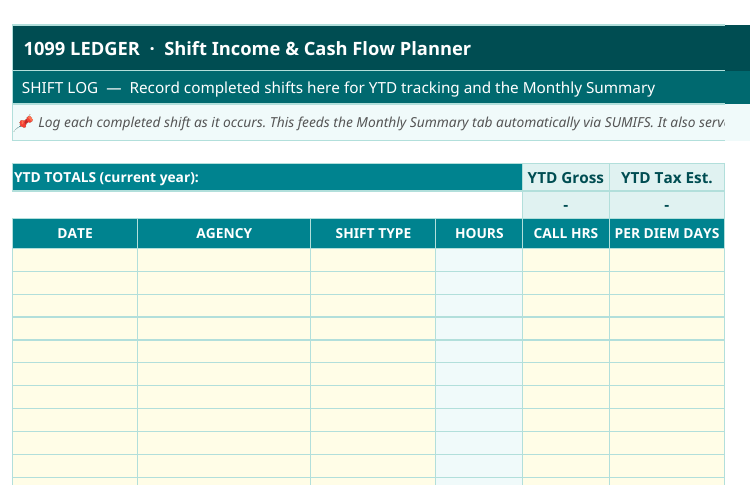
Expenses in tax categories. Each expense goes in as it happens, sorted into the category it will land in at tax time — licenses and certifications, malpractice insurance, continuing education, mileage, professional services like payroll and bookkeeping, and your health insurance premiums. Sorting as you go is the whole trick. Sorting a year of receipts in April is where people lose deductions.
Mileage. If you work at more than one site, the drives add up fast. Date, where you went, and miles, logged the same day. Reconstructing a mileage log at tax time is miserable and the numbers come out wrong.
A running tax set-aside. Every time income lands, a share of it moves to a separate account for taxes. I set aside 20% of my net profit — not of the gross check, of what is left after expenses. I would rather overpay during the year and get a refund than owe a lump sum in April, so 20% works for me. Your percentage may differ, and my free quarterly tax calculator can help you estimate what your own quarters look like.
A simple summary page. One screen that shows income, expenses, net profit, and how much you have set aside for taxes so far. If you have to dig through tabs to learn whether you are ahead or behind, you will stop opening the file.
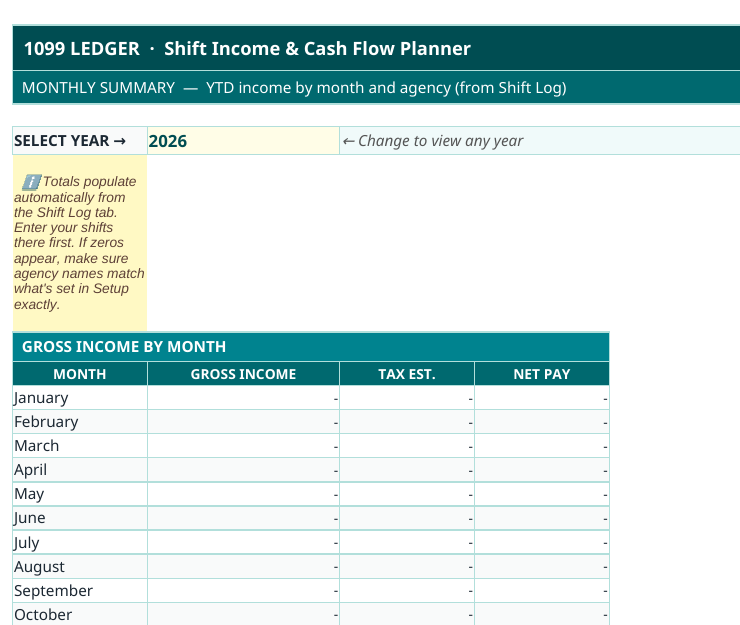
Put together, those five pieces turn the spreadsheet from a record of what happened into a tool you make decisions with.
How often do you have to touch it?
Less often than people fear. I enter income and expenses once a week, which takes about ten minutes because the entries are still fresh. Once a month I check the totals against my bank account so nothing is missing. Once a quarter I look at the summary page, confirm the tax set-aside matches the profit, and send the quarter’s estimated payment.
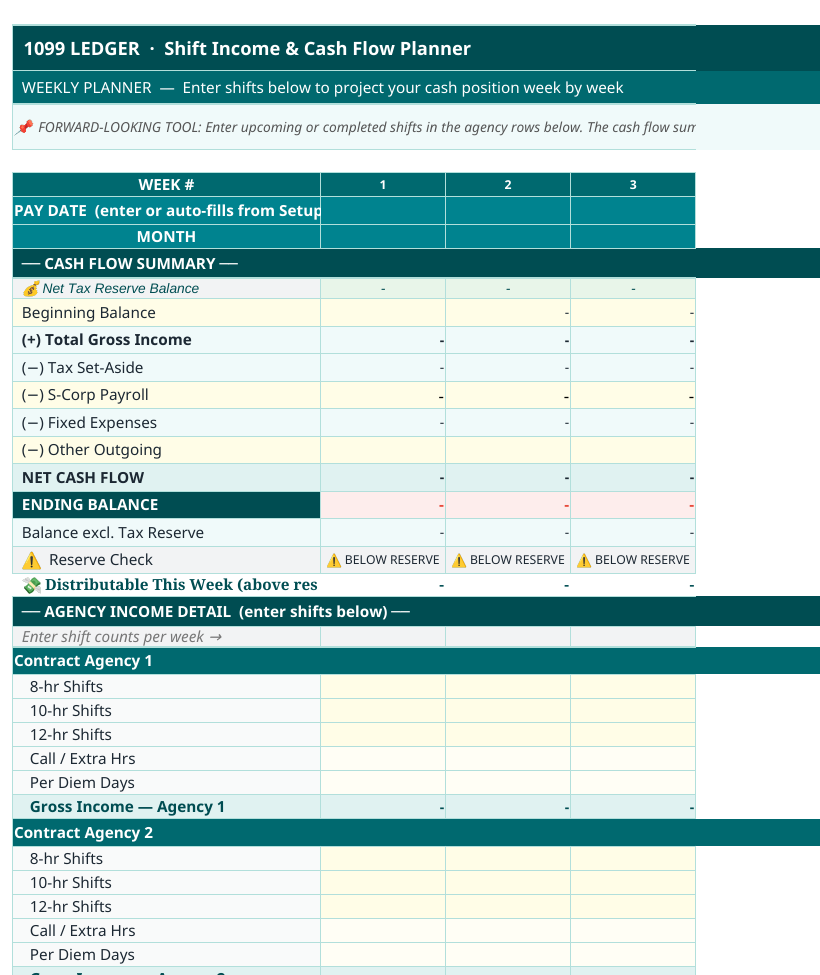
The habit matters more than the software. Ten minutes weekly is what keeps the system working, and it is why my tax filing starts from finished numbers instead of a box of statements.
The spreadsheet I built for my own books
After a year of patching a generic template into shape, I rebuilt the whole thing around how CRNA income actually works. The result is The 1099 Ledger, the spreadsheet I run my own practice on. It has the income-by-facility tracking, the expense categories, the mileage log, and the quarterly set-aside built in, so the summary page is always current. It is $68.99, one time, and it is the exact file I open every week.
If you would rather build your own, the layout above is everything you need to copy. Either way, start now instead of at tax time — a spreadsheet begun in January is a tool, and one begun in April is an apology to your accountant.
Questions CRNAs ask about tracking 1099 income
Do I need accounting software instead? Software is fine if you will actually use it. Most new 1099 CRNAs I talk to open QuickBooks twice and quit. A spreadsheet you open weekly beats software you avoid.
Should my spreadsheet separate my S-corp salary from the rest? If you run an S-corp, yes — your salary, payroll taxes, and distributions are different kinds of money and should be tracked as such. It is also why I wrote about health coverage options for when health insurance costs are too high, because premiums are one of the largest lines in the whole file.
What percentage should I set aside for taxes? Start with a percentage of net profit, not gross, and adjust once you have a year of real numbers. I use 20% and settle up at filing.

One Comment